Bookdrop
Add books to your library by dropping files into a folder. Bookdrop watches for new files, extracts metadata, optionally enriches it from online sources, and queues everything for review before importing.
Getting Started
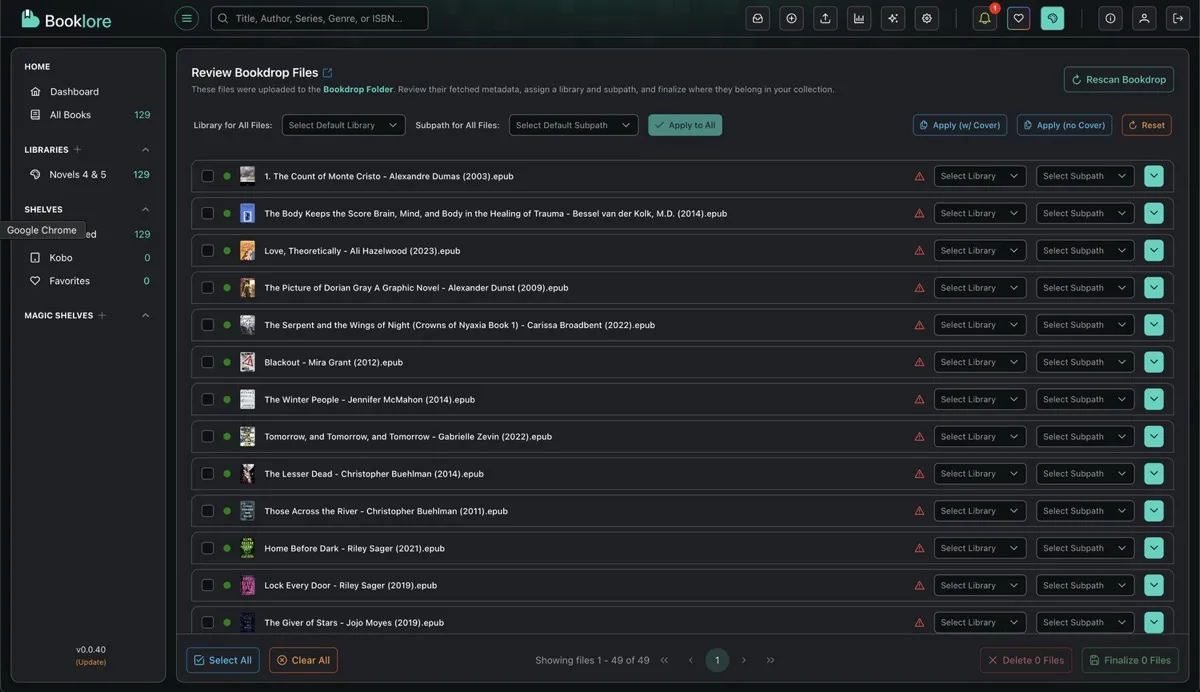
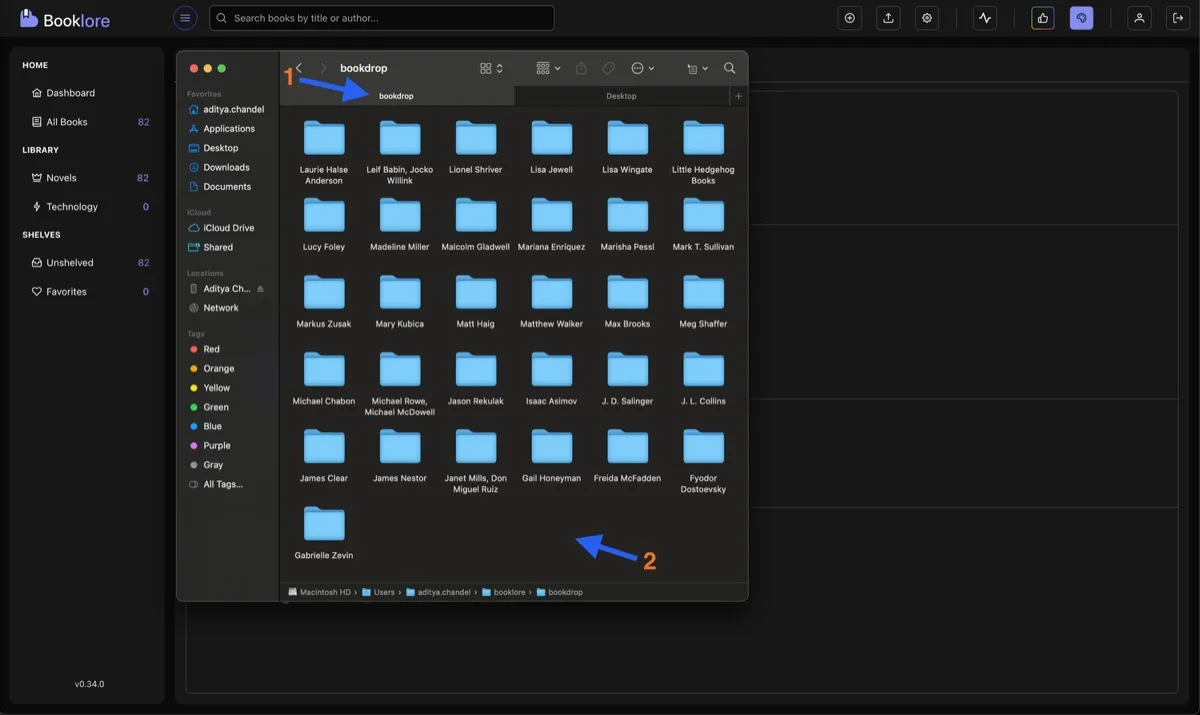
Section titled “Getting Started”Mount a local directory as your Bookdrop path in docker-compose.yml:
volumes: - /path/to/bookdrop:/bookdropDrop supported files (PDF, EPUB, CBZ, CBR, CB7) into this folder. You can drop entire folders of books at once.
Monitoring Progress
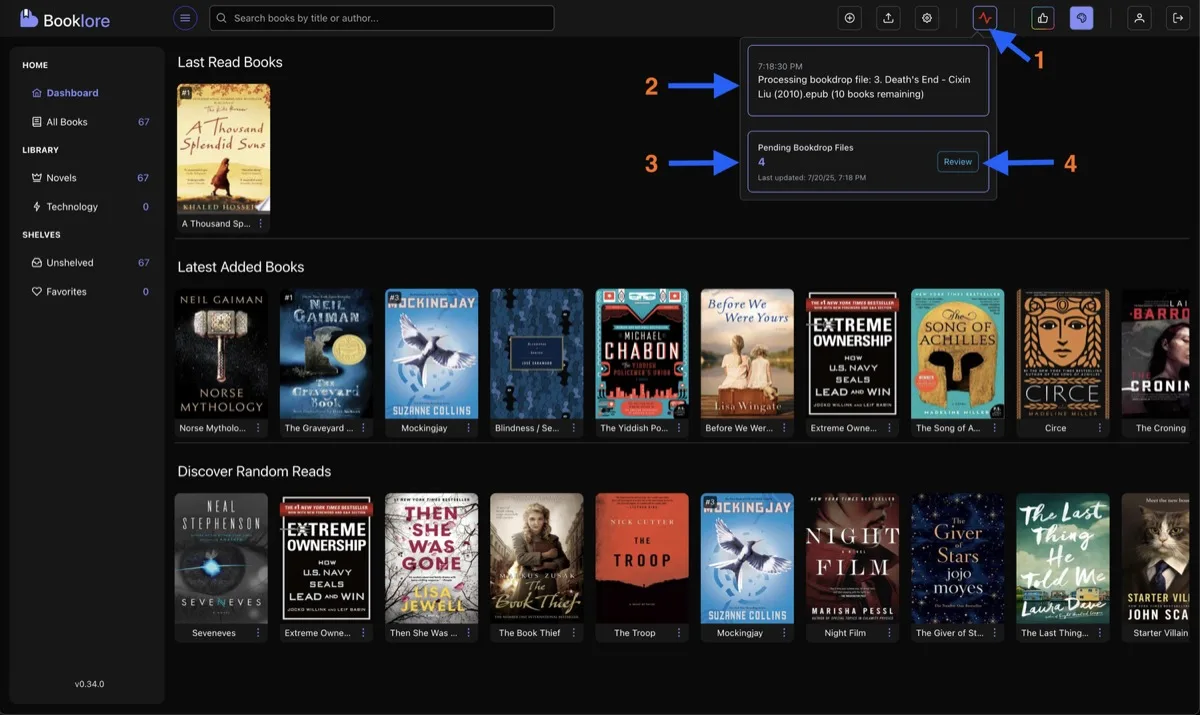
Section titled “Monitoring Progress”Click the bell icon in the top bar to see processing status. When processing completes, click Review to open the Bookdrop UI.
The Bookdrop UI
Section titled “The Bookdrop UI”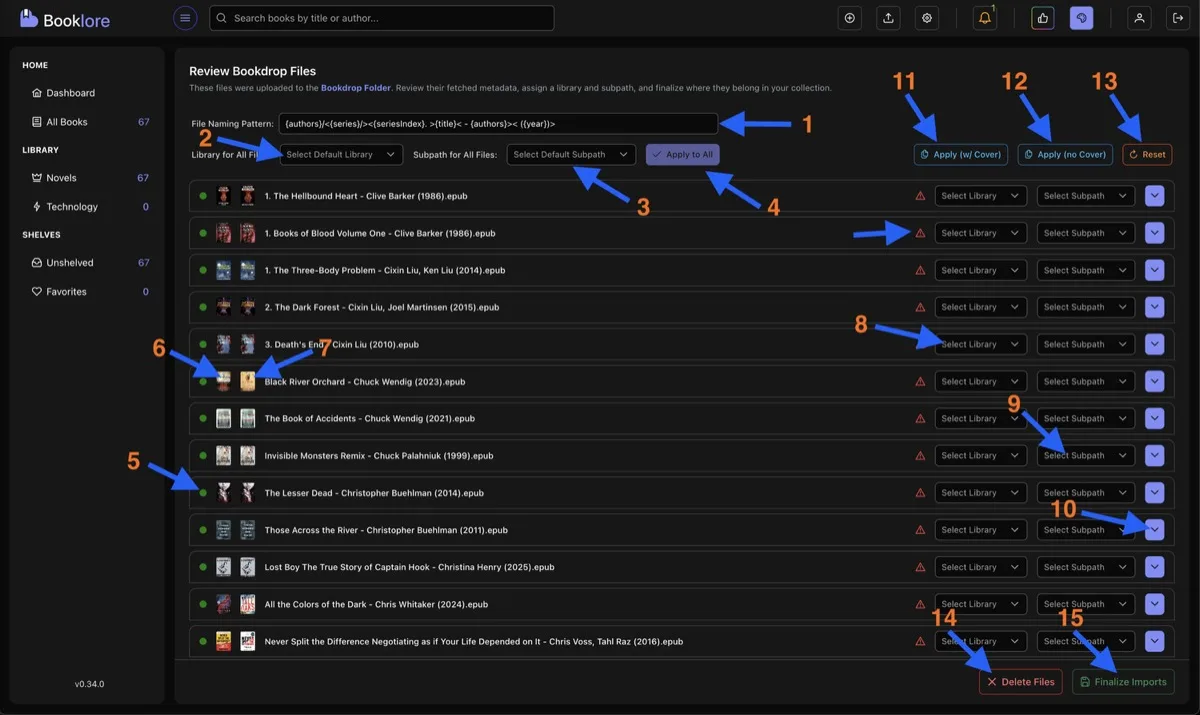
Global Settings (Top)
Section titled “Global Settings (Top)”- Filename Pattern Preview showing how books will be renamed based on your configured pattern
- Default Library for all books (can be overridden per book)
- Default Subfolder within the library (e.g., “Sci-Fi”, “Non-Fiction”)
- Apply Defaults to All to set the library and subfolder for every book in the list
Per-Book Controls (Middle)
Section titled “Per-Book Controls (Middle)”- Metadata Status (green = fetched from online, yellow = internal only)
- Fetched Cover from online sources
- Internal Cover embedded in the book file
- Per-Book Library Override
- Per-Book Subfolder Override
- Metadata Comparison Panel for side-by-side fetched vs. internal metadata
Bulk Actions (Bottom)
Section titled “Bulk Actions (Bottom)”| Button | Description |
|---|---|
| Apply All Metadata (with Cover) | Copies all fetched metadata including covers to all books |
| Apply All Metadata (without Cover) | Applies fetched metadata but keeps original embedded covers |
| Reset All Metadata | Reverts all changes, restoring original file-based values |
| Delete All | Clears the Bookdrop queue (files remain on disk) |
| Finalize Import | Moves files to libraries, applies metadata, renames files |
Per-Book Metadata Comparison
Section titled “Per-Book Metadata Comparison”Click the dropdown icon next to any book to open the comparison panel:
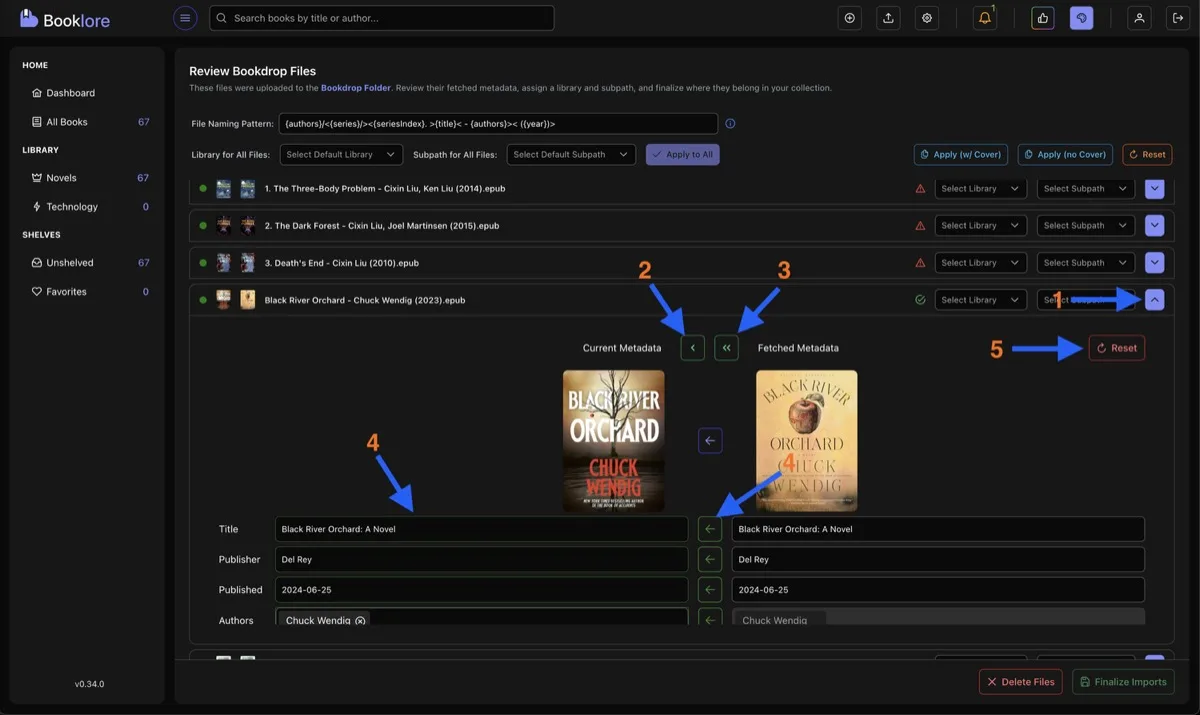
Single Arrow copies only missing fields from fetched metadata. Existing values are left untouched:
Current: Title = "Book", Author = ""Fetched: Title = "The Book", Author = "John Doe"Result: Title = "Book", Author = "John Doe" ← only author was empty, so only author copiedDouble Arrow overwrites all fields with fetched metadata:
Current: Title = "Book", Author = "Unknown"Fetched: Title = "The Book", Author = "John Doe"Result: Title = "The Book", Author = "John Doe" ← everything replacedYou can also use the copy button next to individual fields for selective updates. Updated fields are highlighted in green.
Finalizing the Import
Section titled “Finalizing the Import”After clicking Finalize Import, a summary shows successfully imported books, their library placement, any skipped files, and processing statistics.
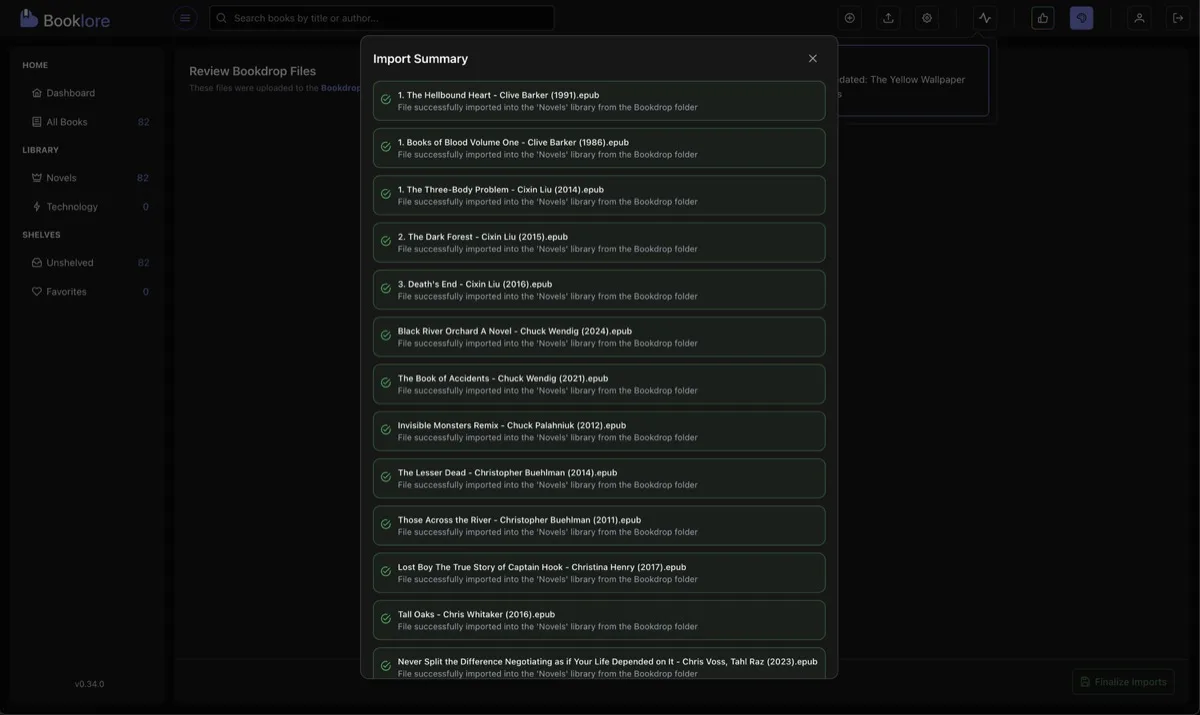
After import, original files are automatically removed from the Bookdrop folder.